
Create a Package
Learn how to create a package by combining multiple products into a single offering. Packages allow you to bundle items together and optionally apply discounts or define quantities for each product included.
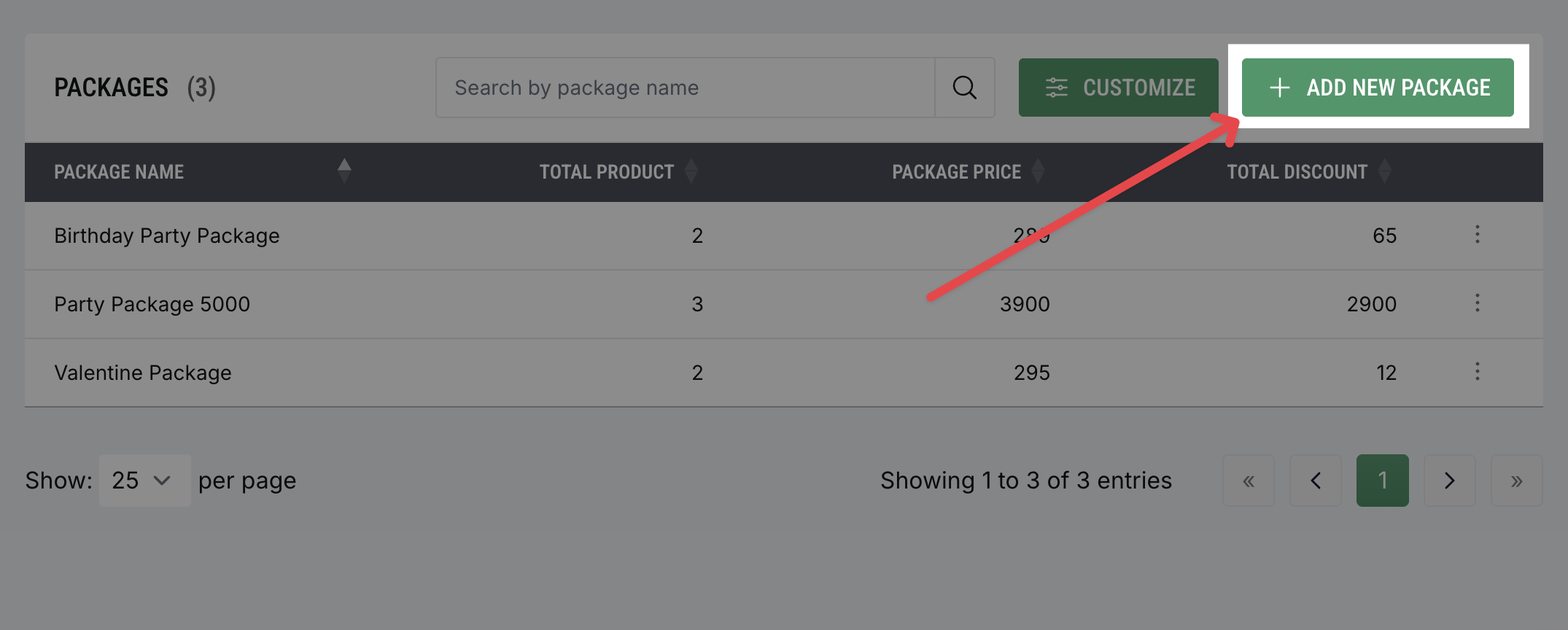
Access Package Settings
Log in to your dashboard
Click
Productsin the main navigationSelect
Packagesfrom the sub-navigation menuClick
Add Packageto begin creating a new package
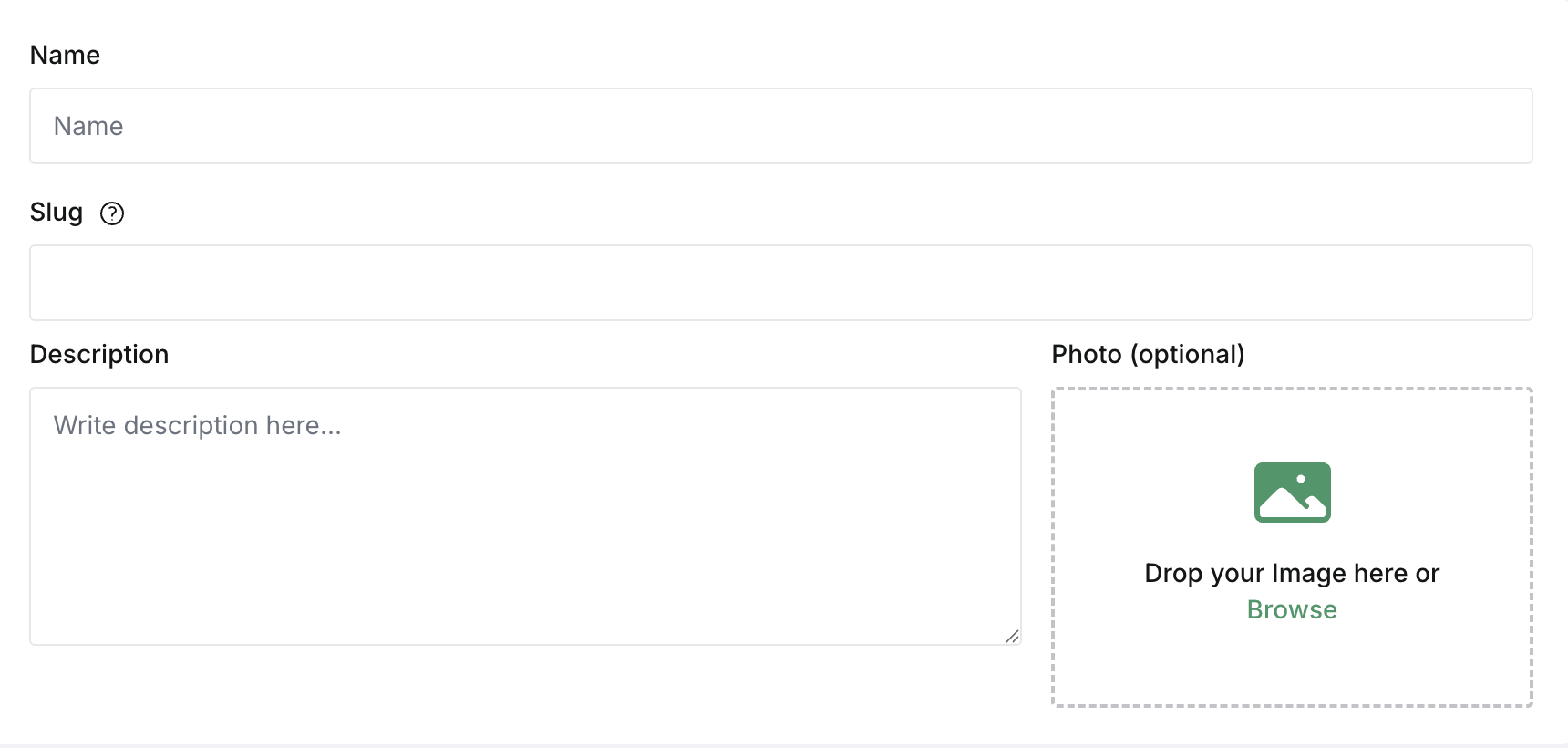
Enter Package Details
In the Name field, enter the name of your package
As you type the name, the Slug field will automatically generate a URL-friendly version of the package name. You can edit the slug if you want to customize it
In the Description field, add a short summary of what the package includes
If needed, upload a Photo to represent the package
Review the information you entered before continuing
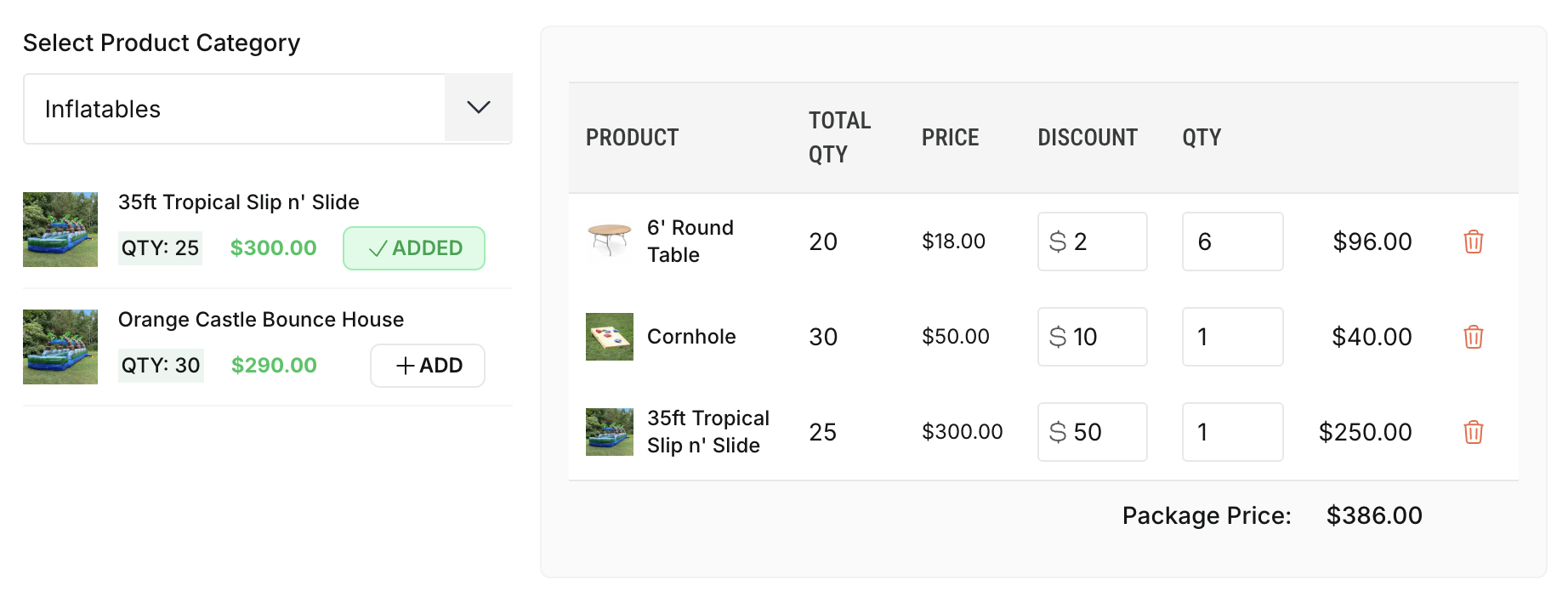
Add Products to the Package
Select a Product Category to filter the list of available products
Click Add to include products in the package. Added products will appear in the table on the right
For each product, enter the Qty to include and optionally apply a Discount
Review the calculated totals and the Package Price shown at the bottom
Repeat this process to add additional products
The system automatically calculates the Package Price based on product prices, quantities, and discounts. On your website, customers will also see the total savings.