
Customize the Order Confirmation Email
Learn how to edit the confirmation message customers receive when they place an order.
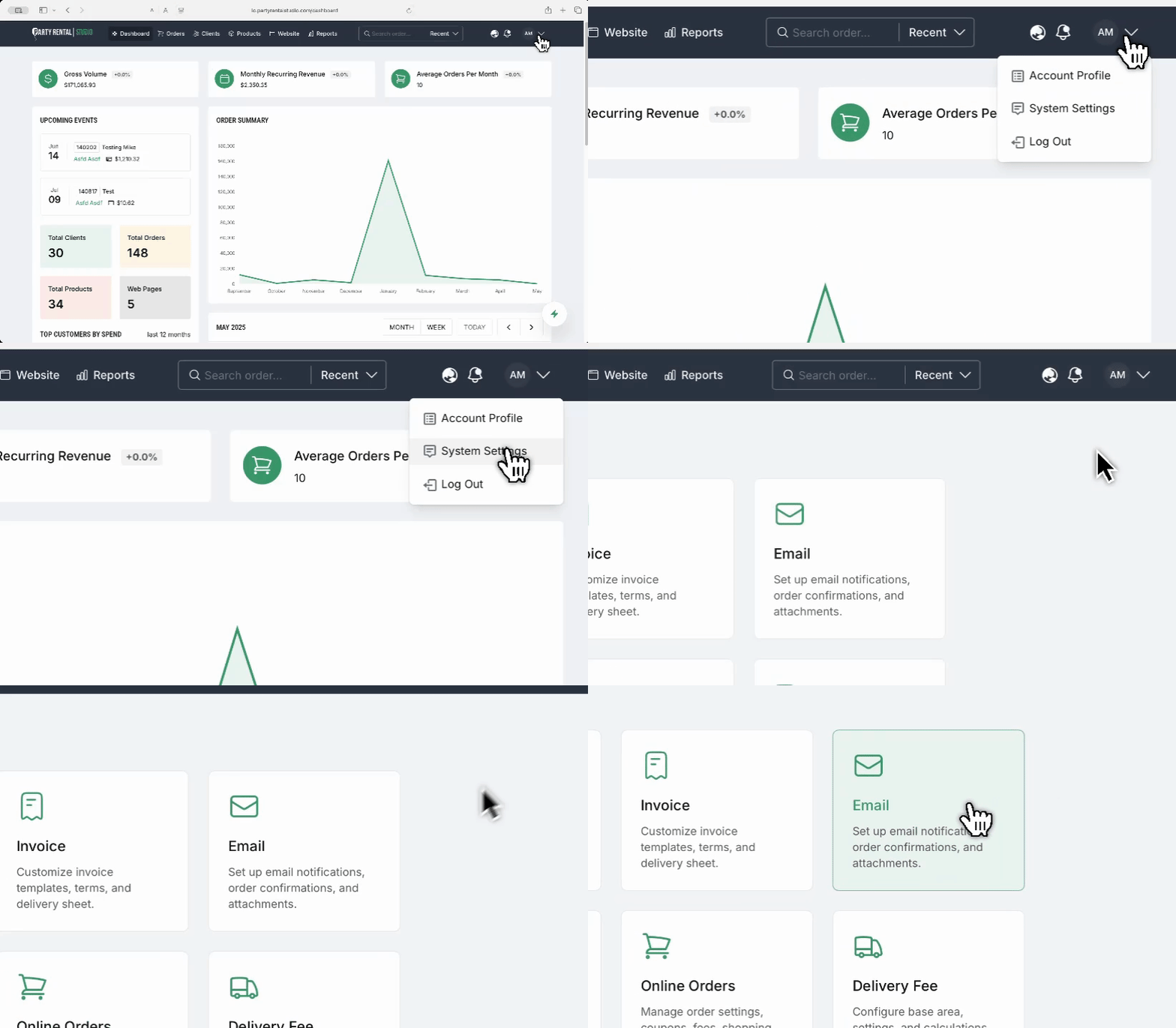
Access Email Settings
Log in to your dashboard
Click your
Initialsin the top-right cornerSelect
System SettingsIn the Settings panel, click the
Emailsection
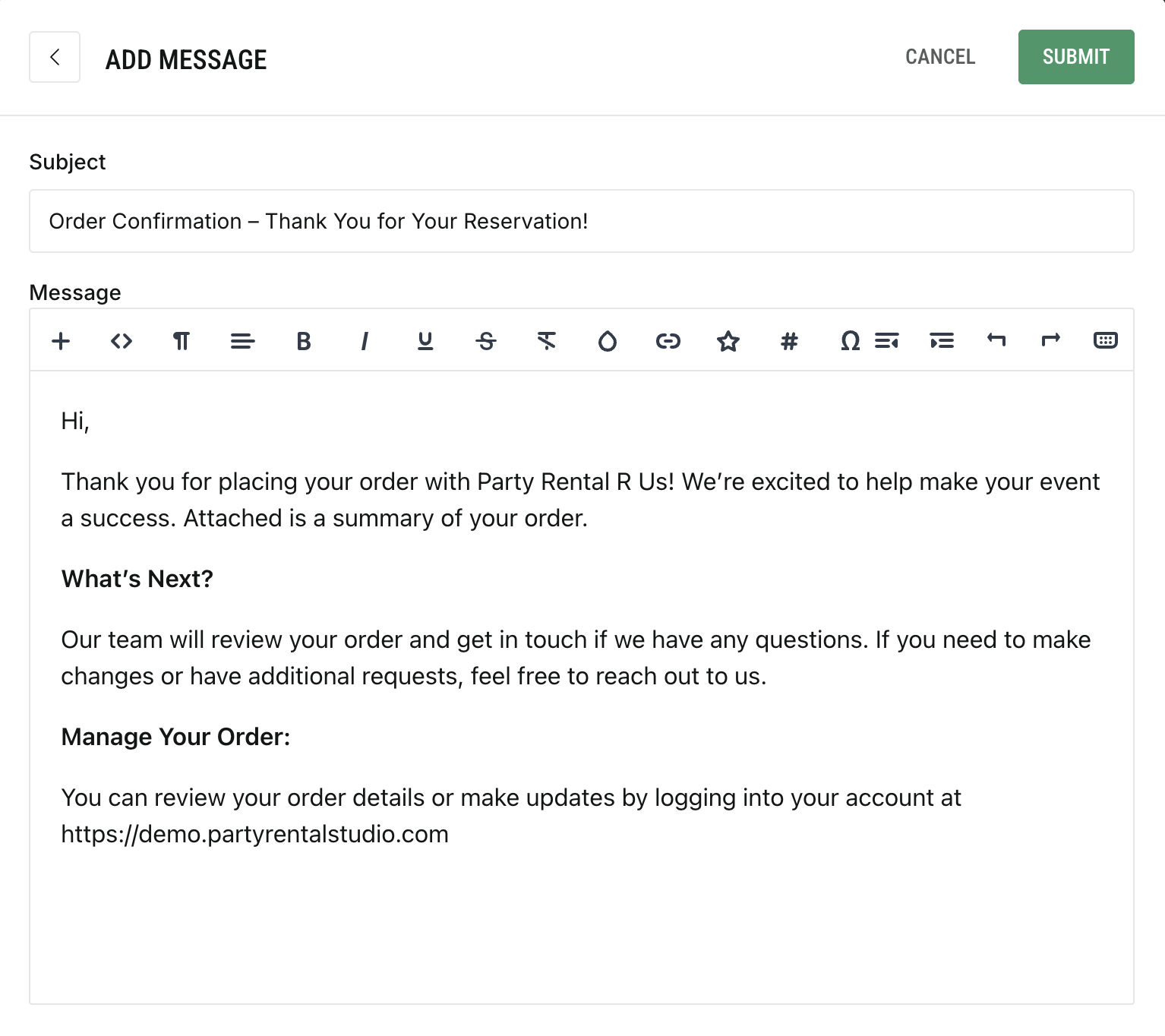
Edit the Confirmation Message
Select the
Order ConfirmationtabClick
AddorEditto open the editor popupEnter your custom subject line and message content
Use the editor tools to format your message